TeeProxy setup
Create an identity, verify Router and start your local API.
Let your local agent call models through a verified router.
Download the client and register a local ID
- From TeeProxy Releases ↗ download the Windows x64 package, extract all files, and run
teeproxy.exe. - In the left sidebar, open My Account , then click Register New ID . If you already have a local ID, select it from the list and click Use This ID .
- Check that your current user ID is displayed. In Top-ups & Withdrawals review available payment methods and your balance before making paid requests.
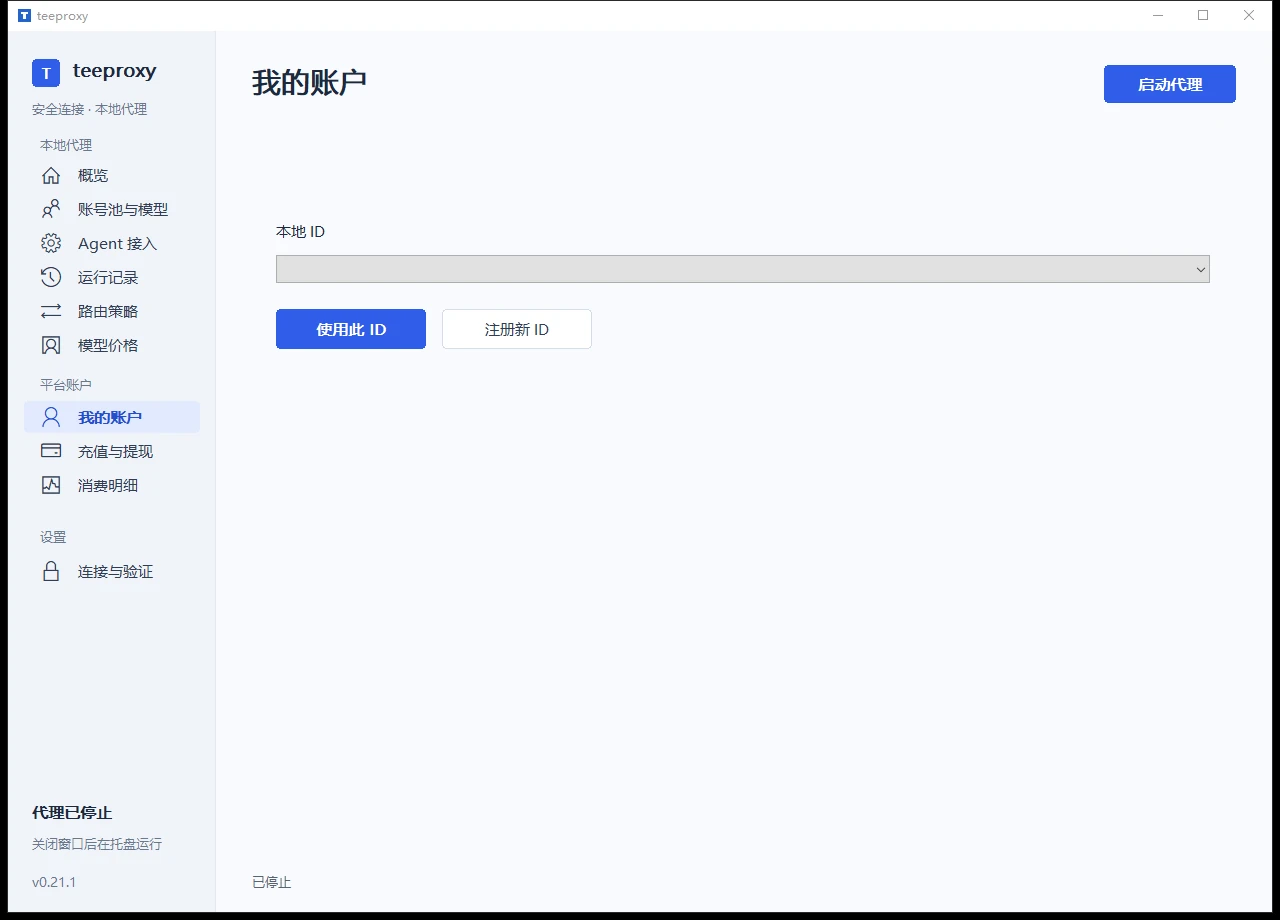
Keep the client's data directory and the original Windows user environment. Identity keys on Windows are protected locally; copying files to another computer does not complete an identity migration.
Check the connection and verify the TEE
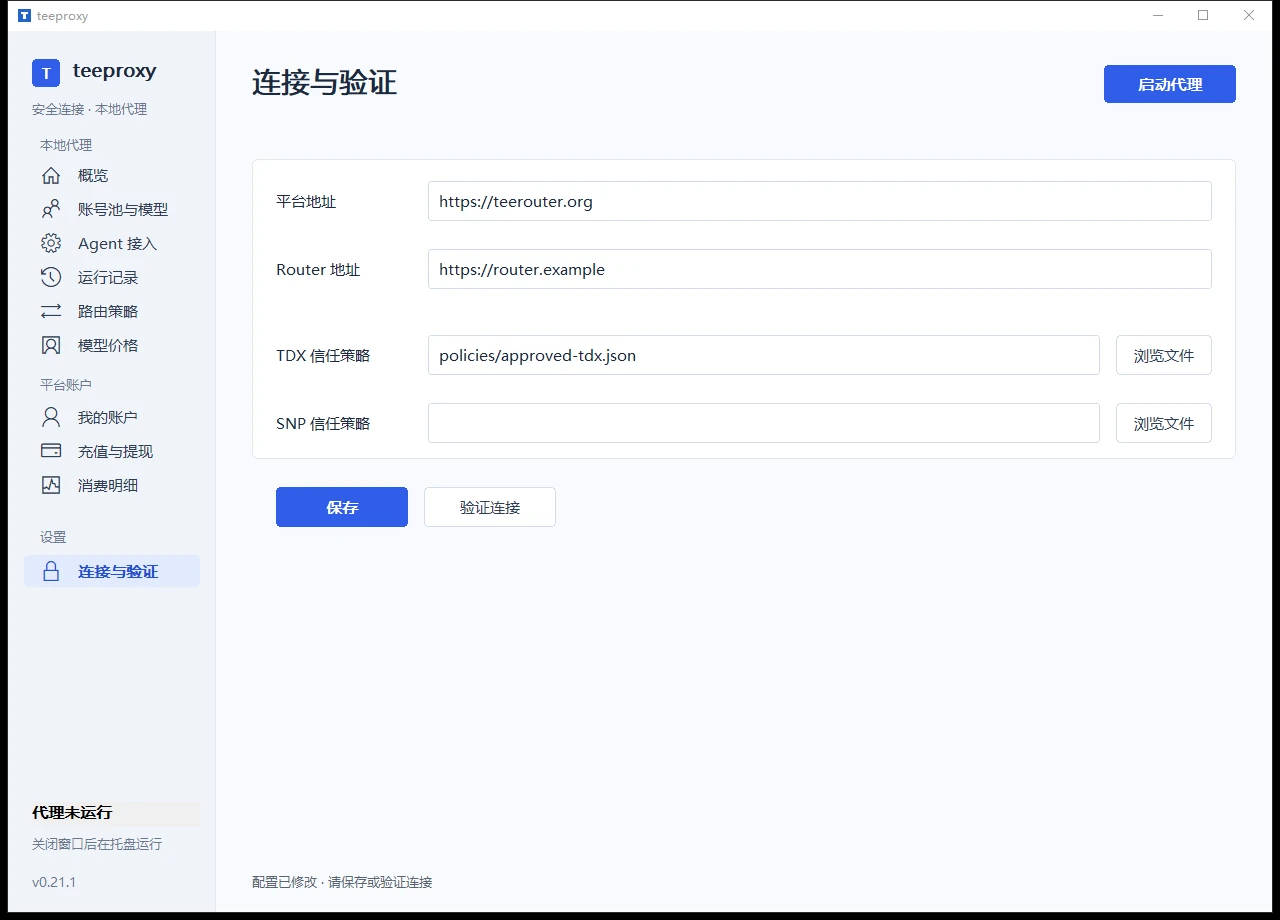
- Open Connection & Verification , and check the Router HTTPS address for your deployment.
- Use the appropriate TDX or SNP trust policy for the router type. Prefer a verified policy supplied with the release. For manual setup, obtain the matching files from project-approved release materials or the deployment operator.
- Save the configuration and run verification. Confirm success before starting the proxy; inspect diagnostics if verification fails.
Choose a model and routing rules
Open Account Pools & Models to review merchants, model IDs, pool multipliers and availability. Copy the complete model ID for your agent; a display name alone is not enough.
- Fixed pool: Use the interface's apply action to select your chosen merchant pool.
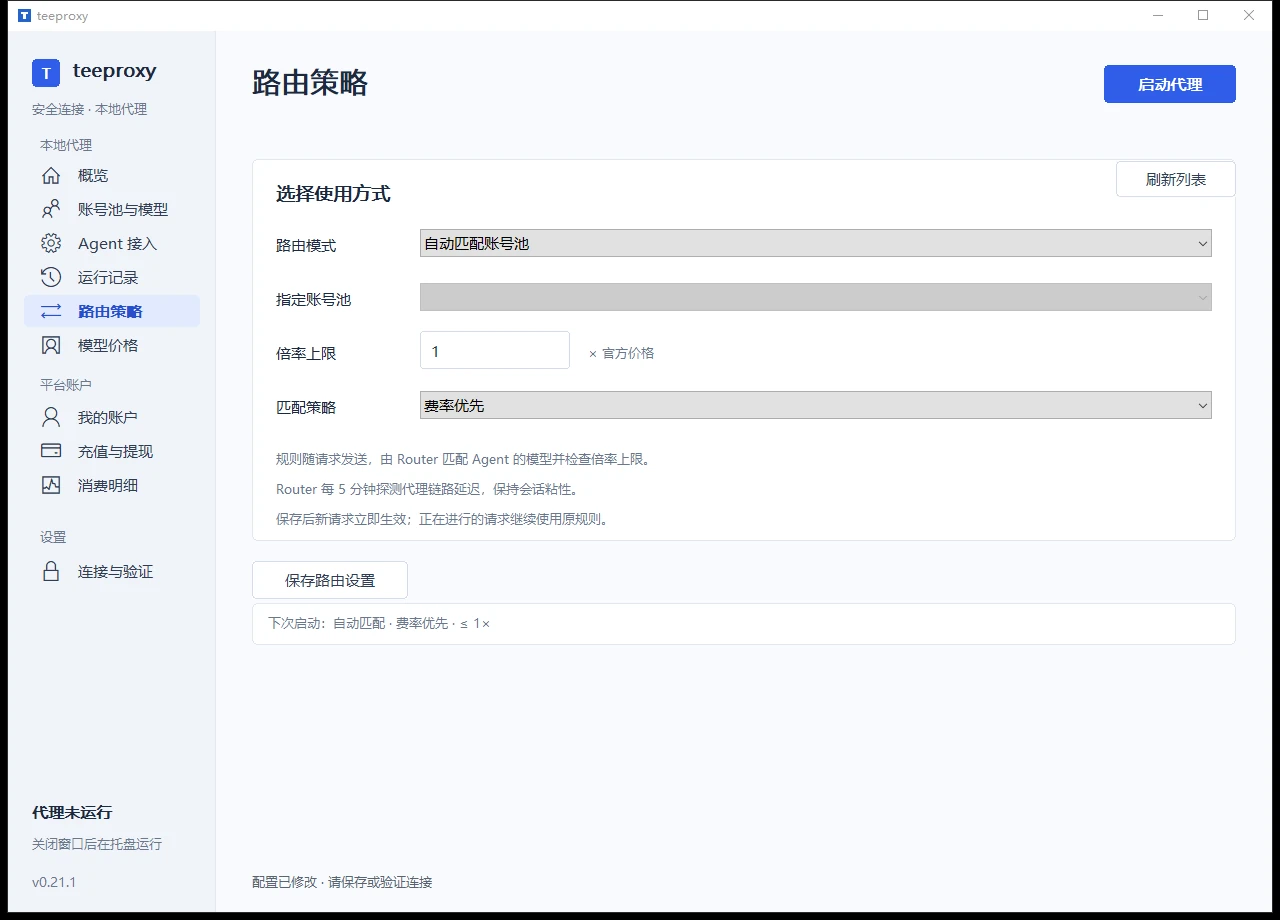
- Automatic routing: In Routing Policy set the multiplier ceiling and priority rules, then save. Router will apply those rules when selecting a pool.
- Check the price: The pool multiplier affects charges. Browsing or highlighting a row does not apply its routing settings.
Start the local API
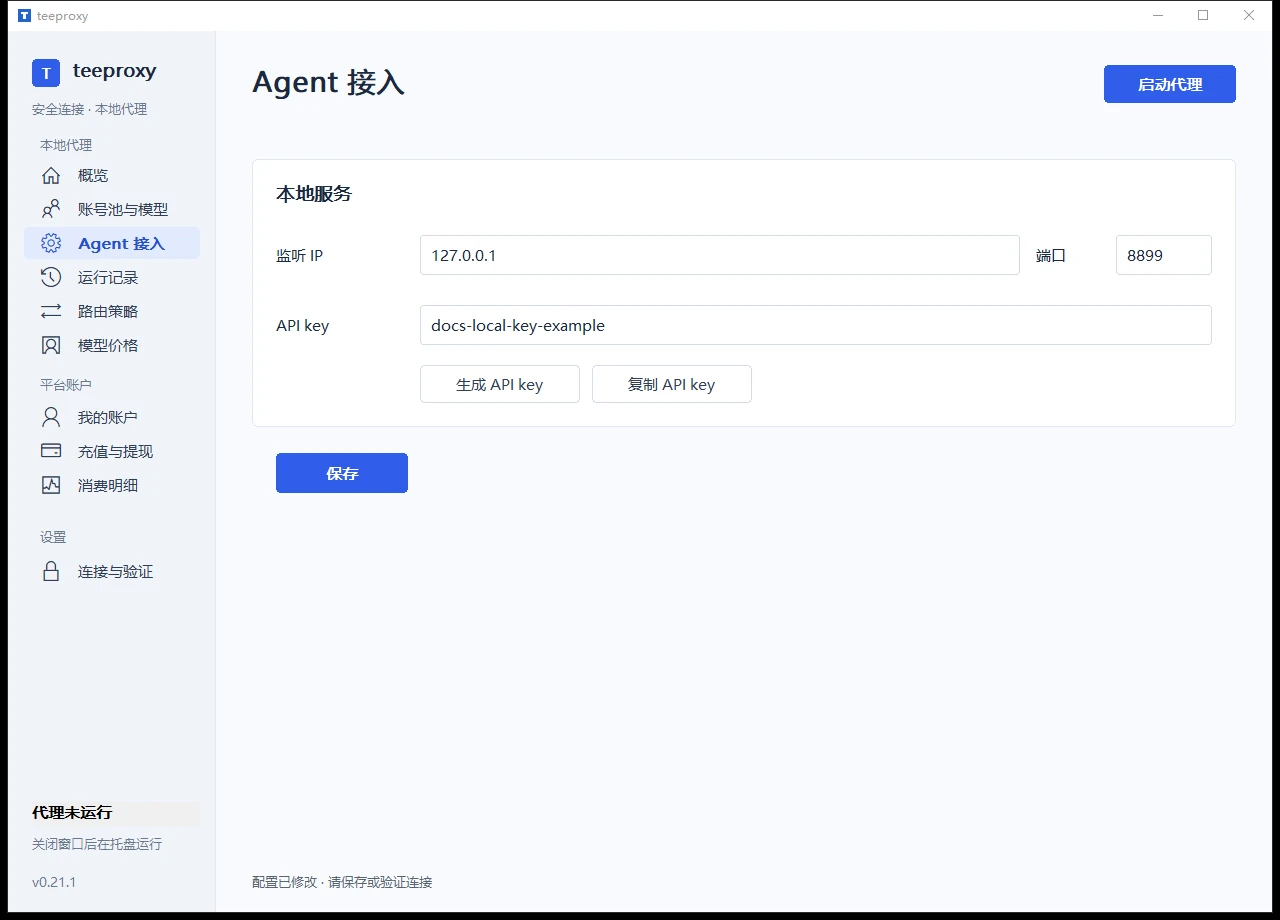
- Open Agent Connection . If the agent and TeeProxy run on the same computer, set the listening IP to
127.0.0.1and use the default port8899. - Click Generate API Key , then use Copy API Key to save it in your agent configuration. You can also set 16–256 visible ASCII characters yourself. Both sides must use the same value; do not use the demo key in the screenshot.
- Save the settings and start the proxy. Confirm the listening address shown on the page, and keep TeeProxy running while using your agent.
Configure your agent
Check your first successful request
First check that the local API is reachable. Replace the key placeholder with your own value, then run:
Invoke-RestMethod -Uri 'http://127.0.0.1:8899/v1/models' -Headers @{
  Authorization = 'Bearer YOUR_TEEPROXY_API_KEY'
}
A catalog response confirms that the local API is responding. Next, send a short request from your agent and check that you receive an answer. Review the connection in Runtime Logs and check the model, usage and charges in Usage Details . Actual model requests are charged under the platform's billing rules.